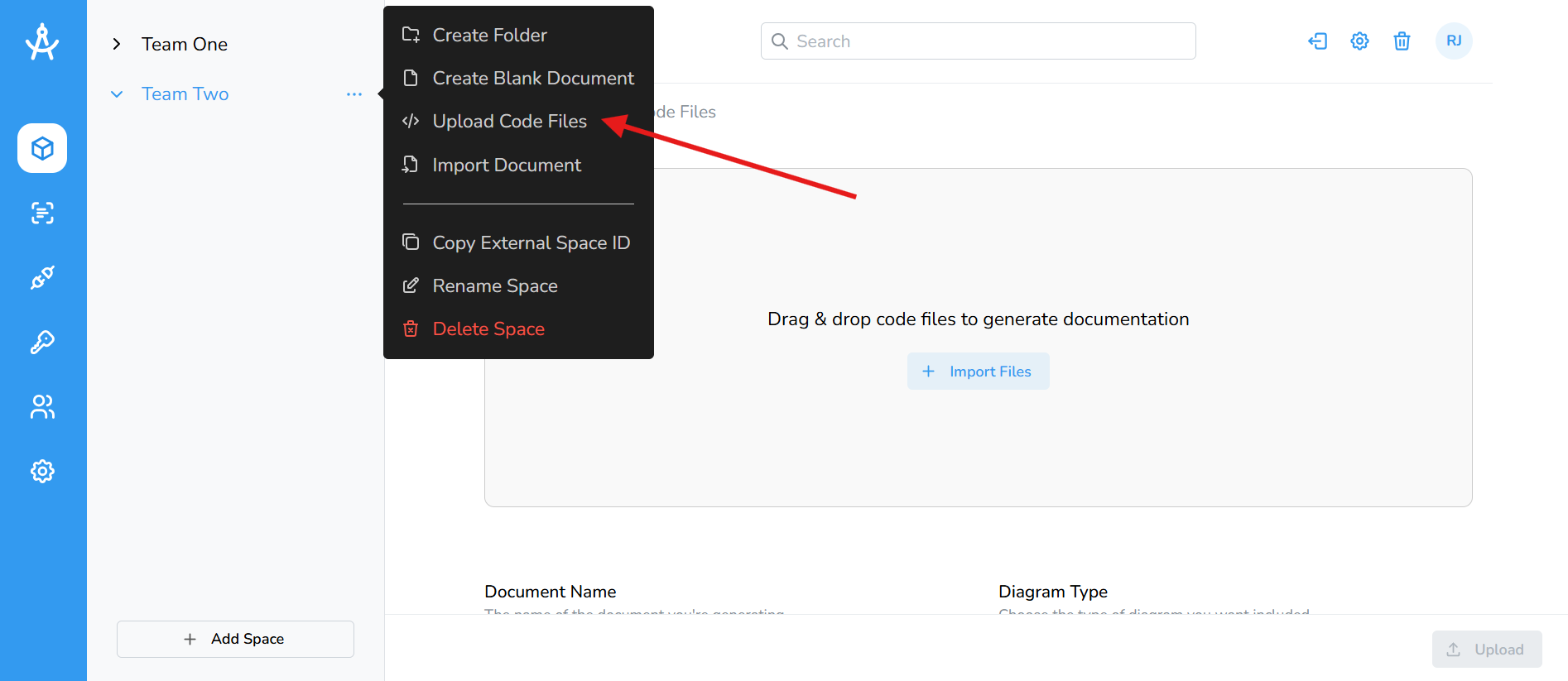
Manual Upload
Manual upload lets you generate documentation by uploading code files directly from your desktop. This is ideal for quick documentation generation, testing, or when you don't want to connect a repository.
No tagging required, simply select or drag and drop up to 30 files at a time.
How to Upload Files
- Navigate to the Spaces section in the left-hand menu.
- Select the space you want to use.
- Click the ellipsis on the space or folder where you want the documentation generated.
- Click Import Files or drag and drop your files into the upload area.
- Enter a name for your document.
- Select the diagram type you'd like to generate (optional).
- Provide additional context to improve the documentation quality (optional).
- Click the Upload button in the bottom-right corner to generate your documentation.